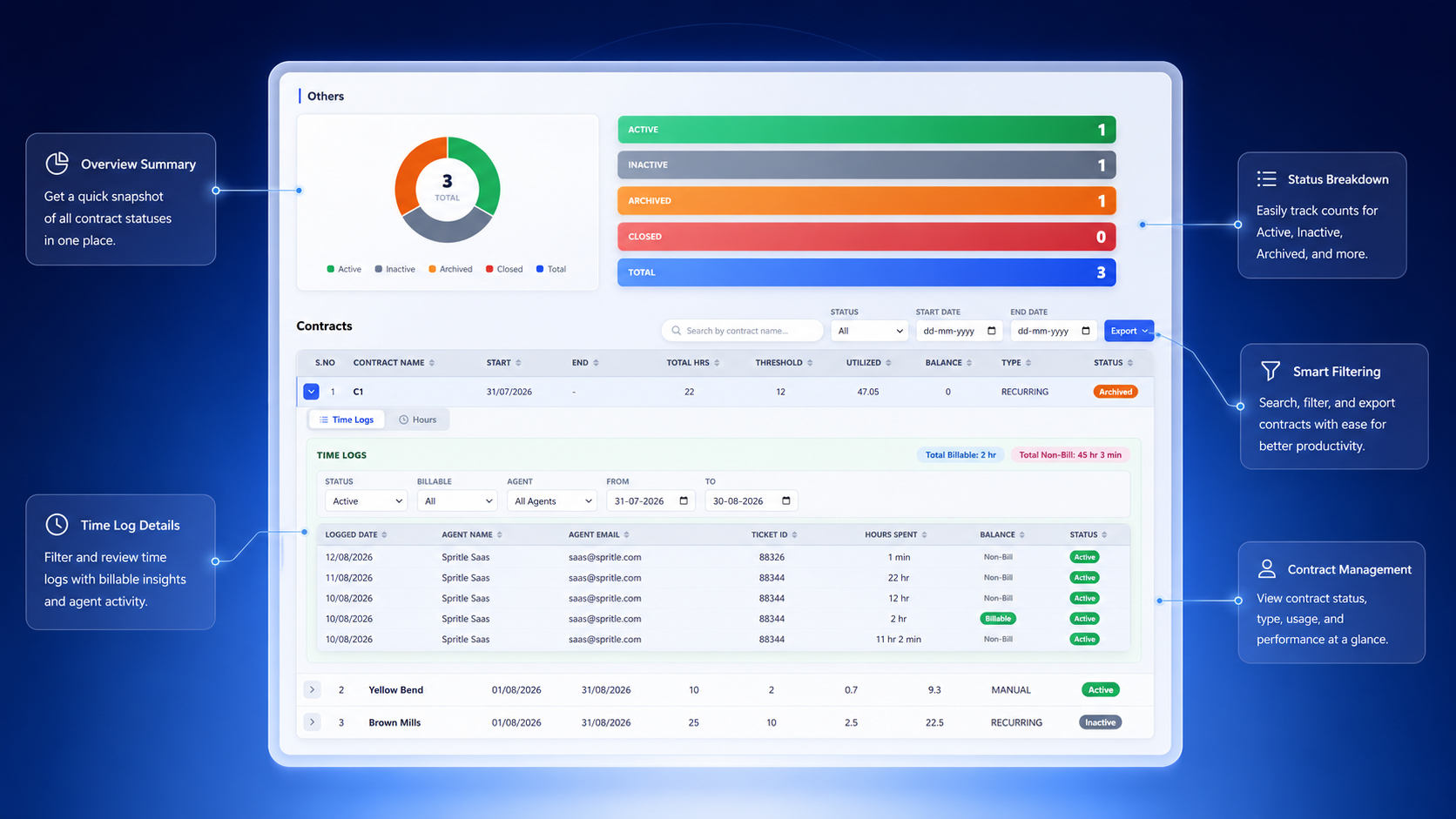
Centralized contract creation, allocation, and lifecycle management with real-time utilization tracking inside Freshdesk.
Live metrics across all active contracts in your Freshdesk workspace.
Designed for one-time contracts with specific start and end dates. Perfect for project-based engagements with defined timelines.
Ideal for ongoing service contracts where allocated hours renew periodically. Supports unlimited cycles or defined end dates with carry-forward.
Total hours defined in the contract cycle, including any carry-forward from previous cycles.
Sum of all time logs recorded against the active cycle, split by billable and non-billable.
Remaining hours = Allocated − Utilized. Contracts can optionally block logging when balance reaches zero.
Automatic email notifications fire when balance falls to or below the configured threshold hours.
Six steps from contract creation to performance review.
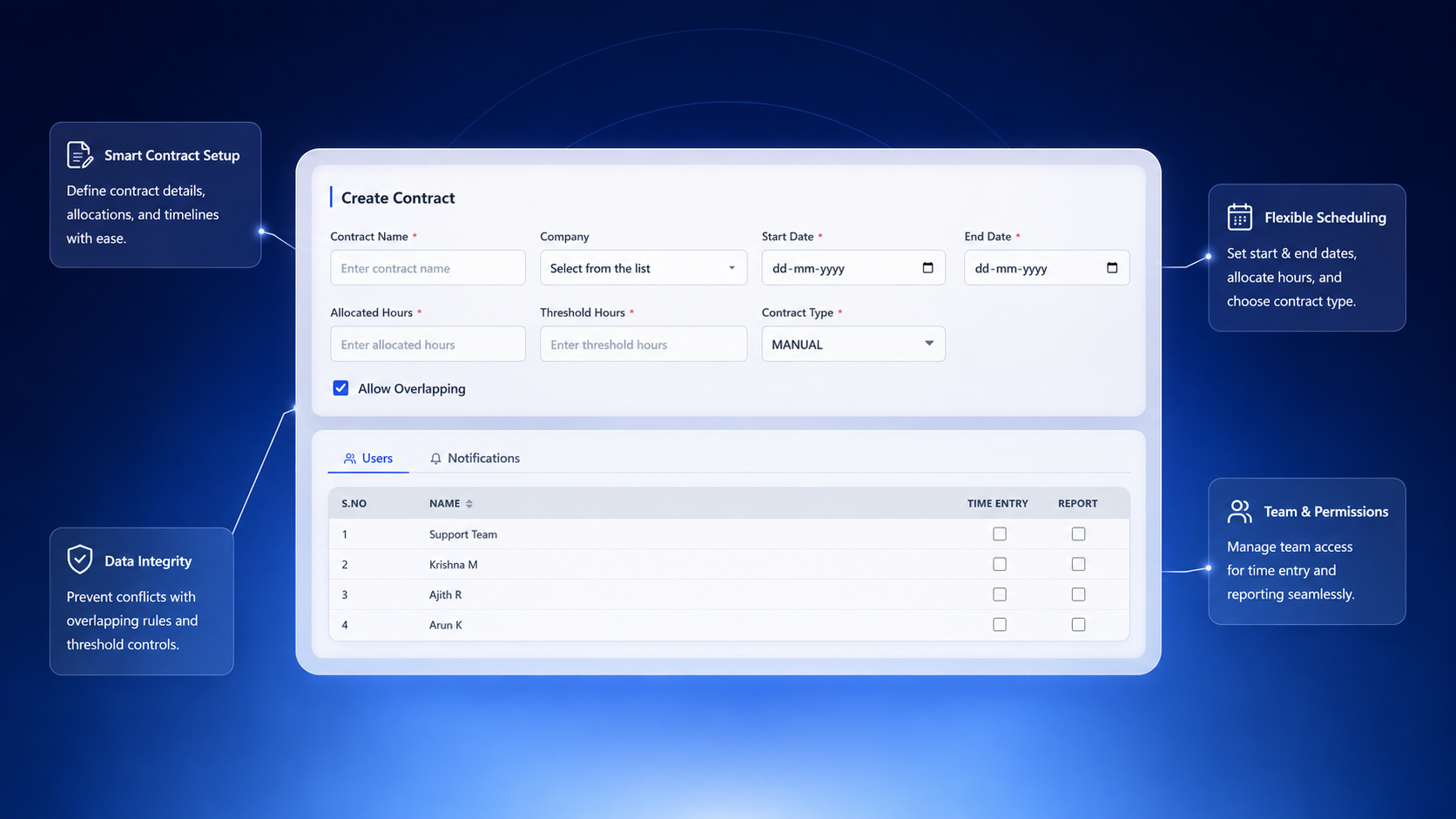
Initialize a new contract by entering basic details and selecting the contract type.
Set up contract parameters including hours and thresholds for utilization monitoring.
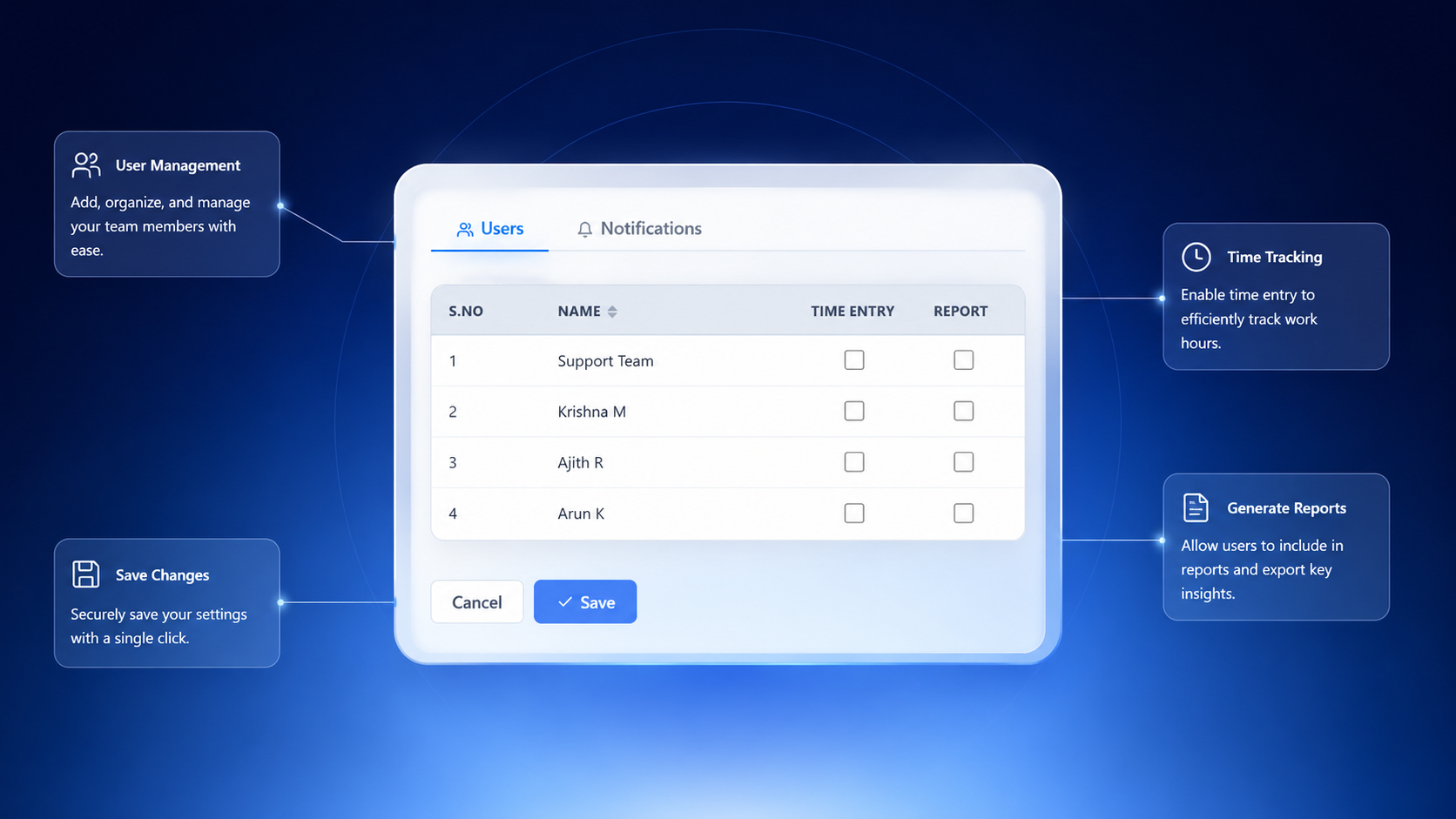
Select and configure which agents can access and utilize the contract.
Set up automated alerts when contract utilization reaches defined thresholds.
Publish the contract and begin tracking time utilization in real-time via the Freshdesk sidebar.
Analyze contract performance and adjust allocations as needed.
Define contract name, type, and basic configuration
Configure hours and monitoring parameters
Grant access and set per-contract permissions
Set up alerts and email templates
Track time logs and trigger alerts in real-time
Export and analyze contract performance
Everything you need to manage contracts directly from Freshdesk.
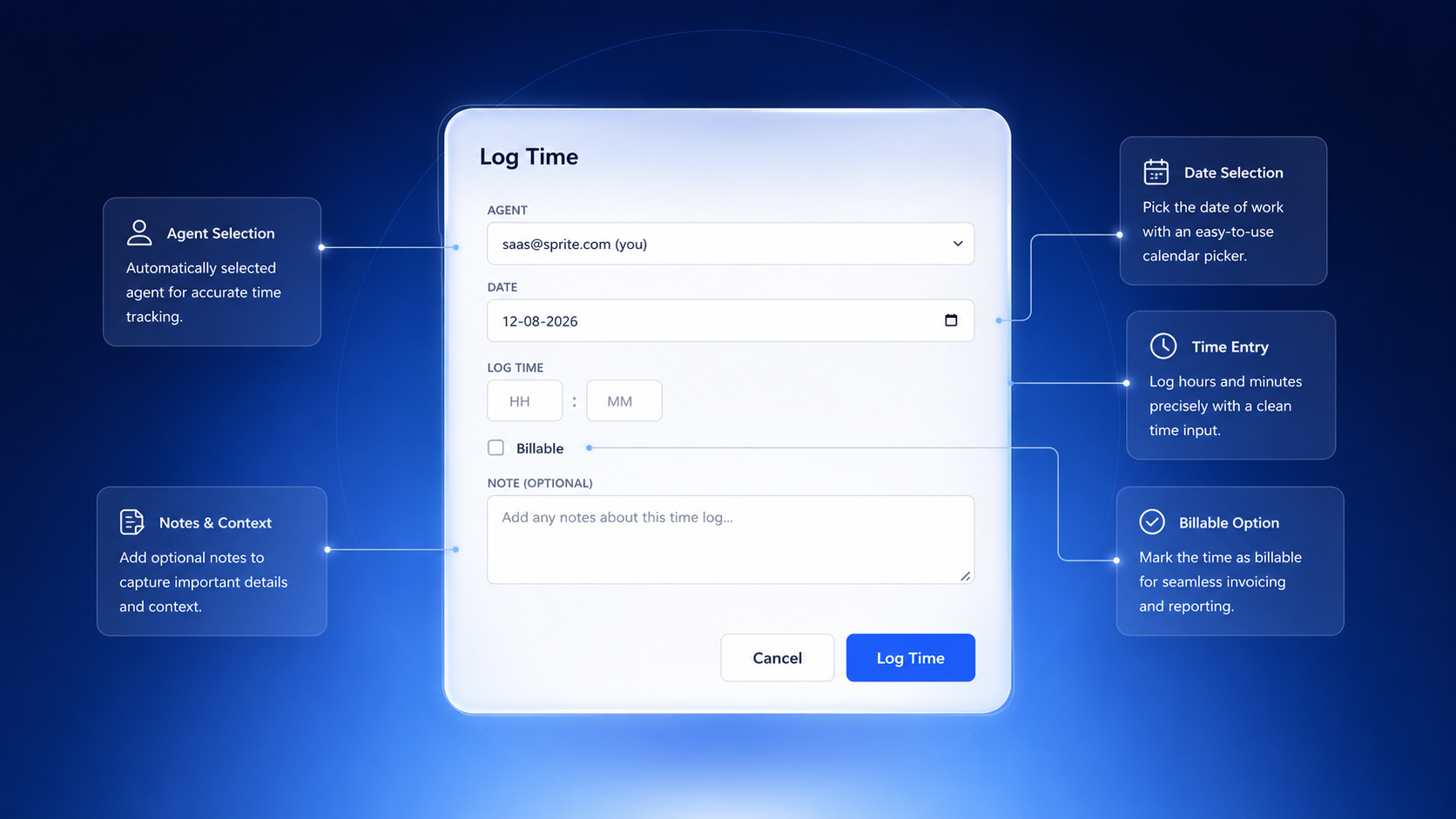
Log and monitor hours against contracts with granular time entry control and billable hour tracking.
Receive notifications when contract utilization approaches configured limits to prevent overrun.
Assign agents to contracts and control their access to time logging and reporting features.
Generate comprehensive reports showing allocated, consumed, and remaining contract hours.
Automatically carry unused hours from previous cycles to current allocations for recurring contracts.
Track contract performance with visual dashboards and filterable utilization metrics.
Allow additional contract time when required — added to existing duration for total consumption calculation.
Configure multiple notification rules with custom email templates and recipient lists per contract.
Fine-grained access control determining which agents can log time or view reports per contract.
Automatic renewal of allocated hours on recurring contracts with configurable cycle intervals.
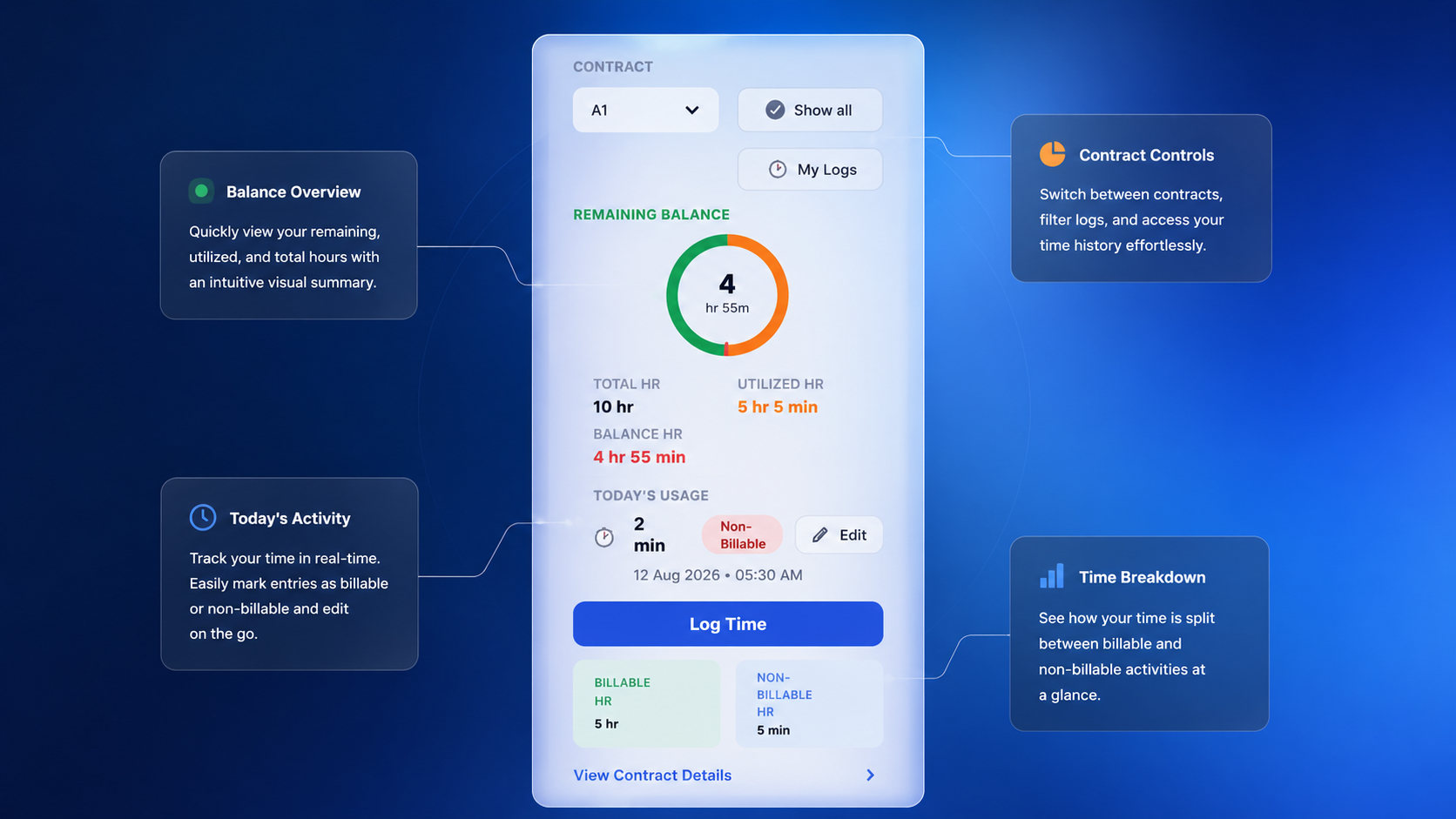
The Freshdesk ticket sidebar gives agents instant access to contract data without leaving the ticket view.
Visual remaining-balance gauge with orange (utilized) and green (balance) arc segments.
Shows the most recent time log for today with quick edit access directly from the sidebar.
Opens the time logging modal pre-filled with the active contract and cycle.
Paginated list of the agent's own time entries with inline edit and unarchive actions.
Contract-level insights, status breakdowns, and export capabilities.
| Field | Description | Example |
|---|---|---|
| Contract Name | Name assigned to contract | Brown Mills Q3 |
| Start Date | Contract start date | 05/08/2026 |
| Allocated | Total hours allocated | 10 hrs |
| Threshold | Alert trigger hours | 2 hrs |
| Utilized | Hours consumed | 5.08 hrs |
| Balance | Remaining hours | 4.92 hrs |
| Type | Contract type | RECURRING |
| Status | Lifecycle status | ACTIVE |